Why Mod Is Having a Moment (Again)
The 1960s Mod look is back—and it’s absolutely dominating Dress to Impress leaderboards. Bold geometric prints, razor-sharp A-line silhouettes, and that unmistakable Twiggy energy? They translate perfectly to Roblox avatar fashion, and judges are eating it up.
If you’ve been scrolling DTI outfit galleries wondering how some players nail that clean, retro-modern vibe while others look like they raided a random costume bin, you’re in the right place. This guide breaks down exactly how to style a winning 1960s Mod Dress to Impress look from head to toe—item by item, color by color.
You’ll walk away with 6+ ready-to-recreate outfit recipes, a makeup and hair cheat sheet, screenshot tips that make your silhouette pop, and smart shopping strategies (including a full free-player build). Whether you’re grinding for that five-star score or creating content for your channel, this Roblox DTI 1960s playbook has you covered.
Let’s get modding.
What Is 1960s Mod? A Quick Fashion History Refresher
Before you start dragging items into your DTI wardrobe, it helps to understand why Mod looks the way it does.
Mod (short for “modernist”) exploded out of London in the early-to-mid 1960s. Think Carnaby Street, The Who, and a generation that rejected the frumpy formality of the ’50s. The aesthetic was youthful, graphic, and unapologetically bold.
Signature silhouettes:
- Shift and A-line mini dresses (knee-skimming or higher)
- Cropped, boxy jackets
- Slim, straight-leg trousers
- Go-go boots (white or patent, mid-calf)
Colors and patterns:
- High-contrast black-and-white
- Primary color blocking (red, blue, yellow)
- Op-art geometrics, target motifs, and bold stripes
- Occasional psychedelic swirls (late ’60s crossover)
Hair and makeup:
- Vidal Sassoon bobs, short pixie cuts, or towering beehives
- Heavy winged eyeliner (upper and lower lash)
- Pale, nude lips
- Exaggerated false lashes—top and bottom
Why it translates to avatar fashion: Mod’s clean lines and graphic color blocking read beautifully on Roblox’s stylized proportions. There’s no fussy draping or subtle texture to lose in translation. A bold A-line dress with a geometric print looks just as striking on a blocky avatar as it does on a runway mannequin. That’s what makes the DTI mod aesthetic so reliable for scoring.
(For a deeper dive into the era’s design roots, check out the V&A’s 1960s fashion collection and the Metropolitan Museum’s Costume Institute archive.)
Why Mod Suits Dress to Impress Perfectly
Here’s the thing about DTI judging: clarity wins. Judges (human or algorithmic) reward outfits where the theme reads instantly from a thumbnail. Mod’s high-contrast palette and exaggerated silhouettes do exactly that.
Avatar proportions work in your favor. Roblox characters have slightly elongated legs and simplified torsos—basically a fashion-illustration croquis. A-line minis hit at the perfect spot. Go-go boots elongate the leg line. Boxy cropped jackets define the waist without needing complex tailoring.
Popular DTI themes where Mod crushes it:
- “Retro Decades” rounds
- “Runway Model” prompts
- “Monochrome Challenge”
- “Party Glam” (psychedelic Mod variant)
- “Time Travel” or “Vintage Icon” themes
If the prompt mentions anything retro, geometric, or British-invasion-era, you can pivot to a vintage mod look Roblox build and score high with minimal fuss.
How to Build a Winning 1960s Mod Outfit in DTI
This is the meat of it. Below are seven outfit recipes you can recreate today. Each includes item guidance, color notes, and scoring tips.
1. Classic A-Line Mod
- Dress: White A-line mini with black geometric trim (search “60s shift dress” or “mod mini” in the DTI shop)
- Shoes: White go-go boots, mid-calf
- Hair: Sleek black bob with blunt bangs
- Accessories: Small round sunglasses, single-strand necklace
- Colors: Strictly black + white
- Free alternative: Use the basic white dress + black belt overlay; swap boots for white knee-highs from the free catalog
- Styling note: Pose straight-on, arms slightly out to show the A-line flare. Judges reward silhouette accuracy here.
📸 “Keeping it Carnaby Street clean. ⬛⬜ #DressToImpress #ModStyle #Roblox”
2. Twiggy-Inspired Monochrome
- Dress: Black sleeveless shift, above the knee
- Shoes: Black patent Mary Janes or low block heels
- Hair: Ultra-short pixie cut (search “60s pixie” or “Twiggy hair”)
- Makeup: Heavy lower-lash liner, nude lip
- Accessories: Thin headband, small hoop earrings
- Scoring tip: The monochrome palette reads as “intentional” to judges. Keep every item in the same color family.
📸 “Channeling Twiggy, one pixel at a time. 🖤 #DTI #1960sMod #RobloxFashion”
3. Primary Color Block
- Top: Cropped red boxy jacket
- Bottom: Blue A-line skirt, mid-thigh
- Shoes: Yellow go-go boots
- Hair: Blonde beehive or high ponytail
- Accessories: White oversized sunglasses
- Layering tip: Keep the jacket unbuttoned so the skirt’s waistband shows—creates a color-block stripe effect
- Free alternative: Red crop top (free catalog) + blue skirt + yellow sneakers; the color story still lands
📸 “Red. Blue. Yellow. Done. 🎨 #ColorBlock #DressToImpress #ModAesthetic”
4. Psychedelic Mod Party
- Dress: Swirl-print mini in purple, orange, and pink (search “psychedelic 60s dress”)
- Shoes: White platform boots
- Hair: Long, straight with center part (late-’60s mod-to-hippie crossover)
- Accessories: Round “John Lennon” glasses, layered bead necklaces
- Scoring tip: Judges love when the print is bold enough to read at thumbnail size. Avoid muted or small-scale patterns.
📸 “Late-’60s Mod went full groovy and I’m HERE for it. 🌀✨ #DTI #PsychedelicMod”
5. Op-Art Graphic Shift
- Dress: Black-and-white optical illusion print shift (search “op art dress” or “geometric 60s”)
- Shoes: Black ankle boots
- Hair: Angular bob, sharp lines
- Accessories: Silver geometric drop earrings, thin black choker
- Styling note: Keep everything else minimal—the print IS the outfit. Pose at a slight angle to show the pattern’s dimension.
📸 “Staring at this print too long will hypnotize the judges. 👁️ #OpArt #RobloxDTI”
6. Mod Menswear Crossover
- Top: Slim black turtleneck
- Bottom: Grey or charcoal slim trousers, cropped at ankle
- Shoes: Black Chelsea boots
- Hair: Mop-top or neat side-part
- Accessories: Thin black tie, round glasses
- Layering tip: Add a cropped grey blazer for a “British Invasion” band look
- Scoring tip: This works brilliantly for “androgynous” or “rockstar” DTI prompts while staying era-accurate.
📸 “British Invasion fit check. 🎸🖤 #ModStyle #DressToImpress #Roblox”
7. Pastel Mod Spring
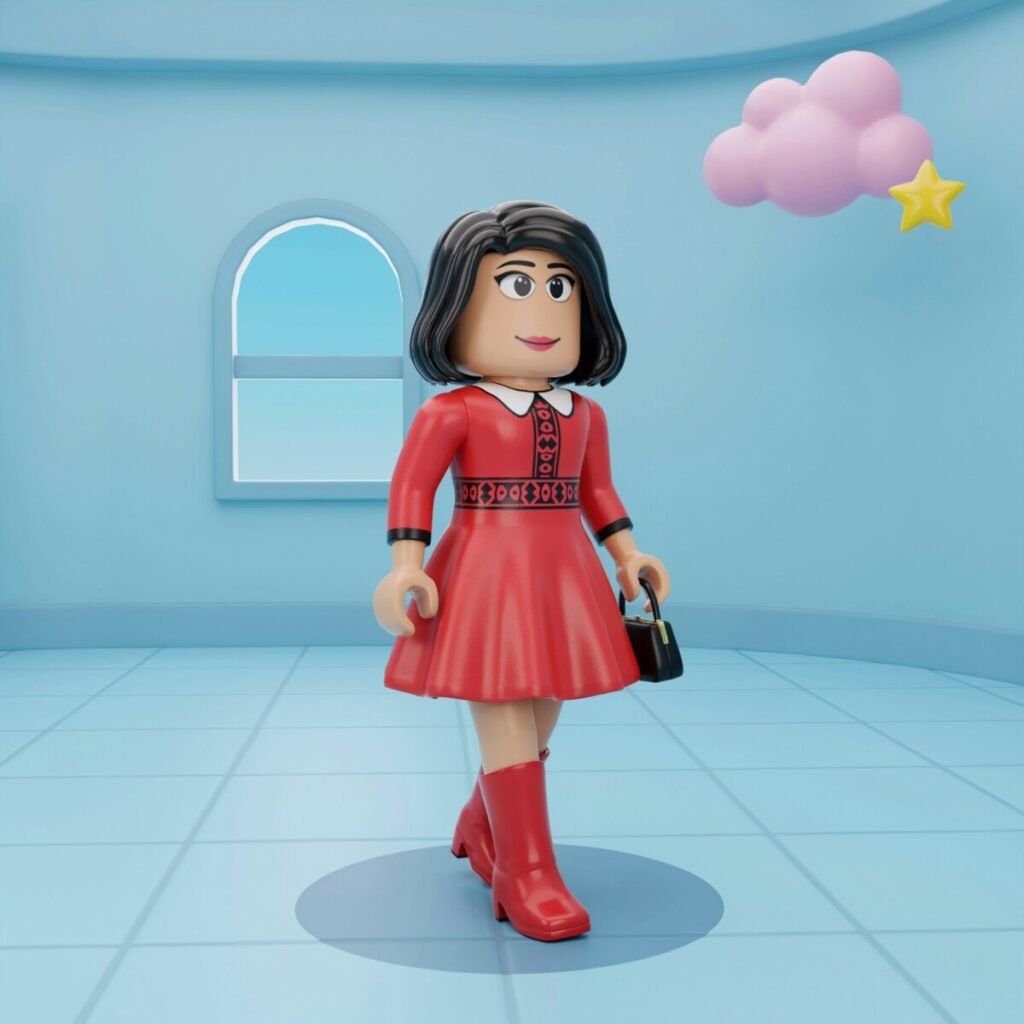
- Dress: Mint-green or baby-pink A-line with white Peter Pan collar
- Shoes: White low-heeled pumps
- Hair: Soft bob with a headscarf (search “60s headscarf” accessory)
- Accessories: Pearl studs, small structured handbag
- Free alternative: Pastel dress from free rotation + white flats + DIY headscarf via bandana item
- Styling note: Softer Mod for “garden party” or “spring” themed rounds.
📸 “Mod, but make it pastel. 🌸 #SpringMod #DTIOutfit #Roblox”
DIY for Free Players: The Zero-Robux Mod Build
No Robux? No problem. Here’s your 1960s mod outfit Roblox starter kit using only free catalog items:
- Dress: Basic white knee-length dress (free starter item) → layer a black belt accessory to fake an A-line waist
- Shoes: Free black or white sneakers (search “classic sneakers” in free catalog)
- Hair: Free black bob or short pixie (rotate through free hair weekly)
- Makeup: Use the free winged-liner face option + nude lip color
- Accessories: Free round sunglasses (often in seasonal free drops) + a black choker from the free jewelry rotation
- Creative sub: Use a free black-and-white striped shirt + solid skirt combo to mimic a geometric print
The silhouette and color contrast matter more than exact item names. Judges score the read, not the price tag.
Makeup, Hair & Accessories: The Mod Detail Guide
You’ve got the outfit. Now nail the details that push your score from “nice” to “five-star.”
Makeup (DTI face options):
- Eyes: Choose the heaviest winged liner available. If DTI offers a “cat eye” or “60s liner” option, grab it. Layer lower-lash dots if the game allows.
- Lips: Go pale—nude, soft pink, or barely-there peach. Mod makeup puts ALL the drama on the eyes.
- Lashes: Select the most exaggerated false-lash option. Twiggy’s signature was spidery, separated lashes top and bottom.
- Brows: Thin and arched if available; avoid thick, filled brows (that’s more ’80s).
Hair picks for the 1960s makeup Roblox look:
- Sleek geometric bob (blunt bangs, chin-length)
- Short pixie with volume on top (Twiggy)
- Tall beehive or bouffant (for glamour Mod)
- Long, pin-straight with center part (late-’60s transition)
Accessories that score:
- White or patent go-go boots (the single most recognizable Mod item)
- Round or oversized geometric sunglasses
- Thin chokers, geometric drop earrings
- Structured mini handbags (box-shaped)
- Headbands, headscarves, or berets
- Bold graphic tights (op-art or stripe) if the outfit allows
Stick to 2–3 accessories max. Mod is edited, not cluttered.
Photo & Screenshot Tips for High Scores
Your outfit might be flawless, but a bad screenshot tanks your presentation. Here’s how to make your DTI outfit ideas retro look judge-ready:
- Camera angle: Shoot straight-on or at a very slight ¾ turn. Mod silhouettes are symmetrical—show them off head-to-toe.
- Background: Choose clean, solid-color or geometric-patterned DTI stages. Avoid busy outdoor scenes that compete with your print.
- Lighting: Use the brightest, most even lighting available. Harsh shadows hide color blocking.
- Pose: Stand tall, arms slightly away from the body to show the A-line shape. One hand on hip adds attitude.
- Post-screenshot edits: Bump contrast +10–15% to make black-and-white patterns pop. Crop tightly (head to mid-boot) to eliminate dead space. A slight vignette focuses the eye on the silhouette.
📸 “Straight lines, sharp angles, zero chill. 📐 #ModFashion #RobloxPhotography”
Where to Find Items & Shop Smart
Knowing where to search saves you Robux and time.
In-game DTI shop: Search terms like “60s dress,” “mod mini,” “go-go boots,” “geometric print,” “A-line,” and “retro shift.” The shop rotates, so check daily.
Roblox Catalog / Marketplace: Head to the Roblox Avatar Shop and search “1960s mod,” “vintage mod,” or “retro 60s.” Filter by price to find free and low-cost pieces. Community creators often upload era-specific packs—look for top-rated items with “mod” or “60s” in the title.
Community creators: Follow DTI outfit-sharing groups on Discord, TikTok, and Roblox forums. Creators frequently drop mod-themed accessory packs for free or under 50 Robux.
Budget strategy:
- Prioritize the silhouette piece first (the dress or top+bottom combo).
- Add shoes second (go-go boots make or break the look).
- Spend last on accessories and hair—free options often suffice.
- Save Robux for one “hero” print item that reads at thumbnail size.
Search-smart tip: Use exact phrases like “best 1960s accessories Dress to Impress” in community searches to find curated lists from other players.
Wrap-Up: Go Get That Five-Star Mod Score
The 1960s Mod Dress to Impress look is one of the most reliable, high-scoring themes you can build in DTI—and now you’ve got seven recipes, a free-player workaround, and the styling details to make judges stop scrolling.
Pick your favorite outfit from the list above, hop into your next DTI round, and screenshot the result. Tag your shots, share them in the community, and see how your how to style Mod in Dress to Impress skills stack up against the competition.
Want more? Browse our full Dress to Impress Outfit Gallery for weekly lookbooks, grab our Roblox Fashion Photography Tips guide for better screenshots, or dive into our Retro Fashion History series for the stories behind every era we style.
Now go make Carnaby Street proud. ✌️